

Collect the whole team.
Every Card Genie printed card comes with a free digital copy — in a collection your kid actually owns. View it, trade it, and collect their teammates. Right on the home screen, like a real app.
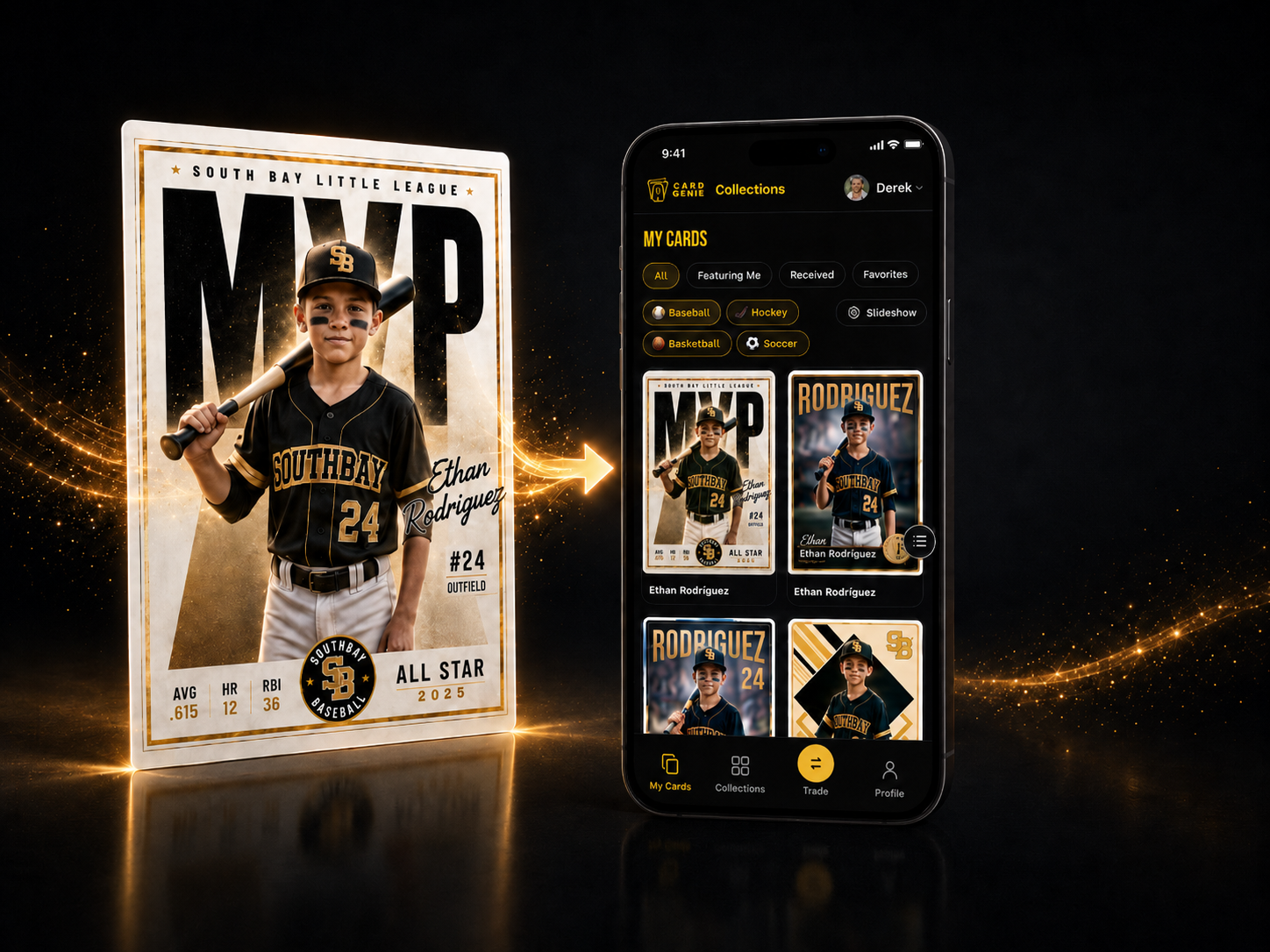
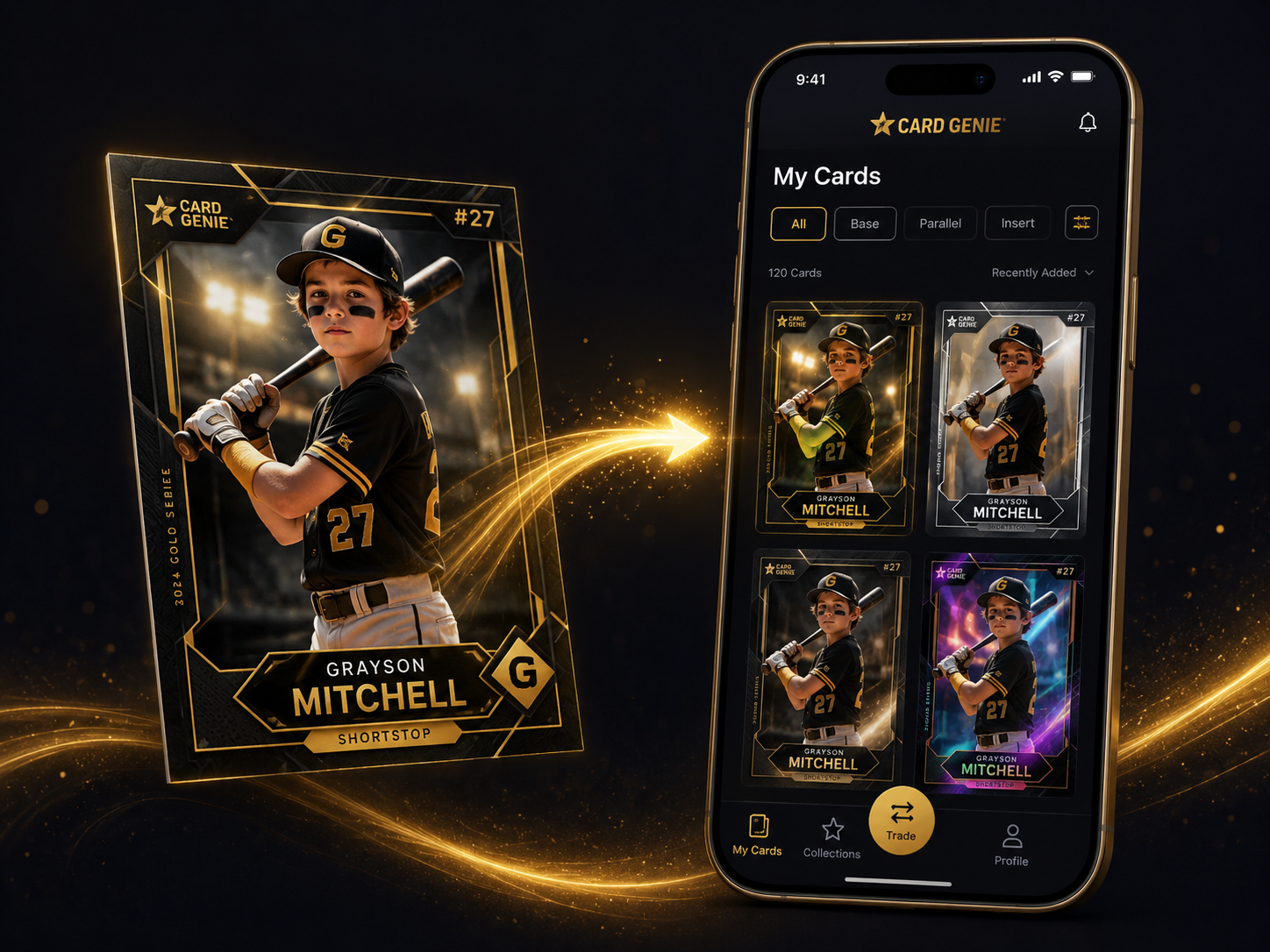
Every printed card comes with a free digital copy.
Order a printed card or a pack and the digital version shows up automatically in your kid’s collection — no extra step, no extra cost. The card they hold and the card they collect are one and the same.
How it works
Get the card
Order your player’s card like always — printed, a pack, or digital.
It’s theirs
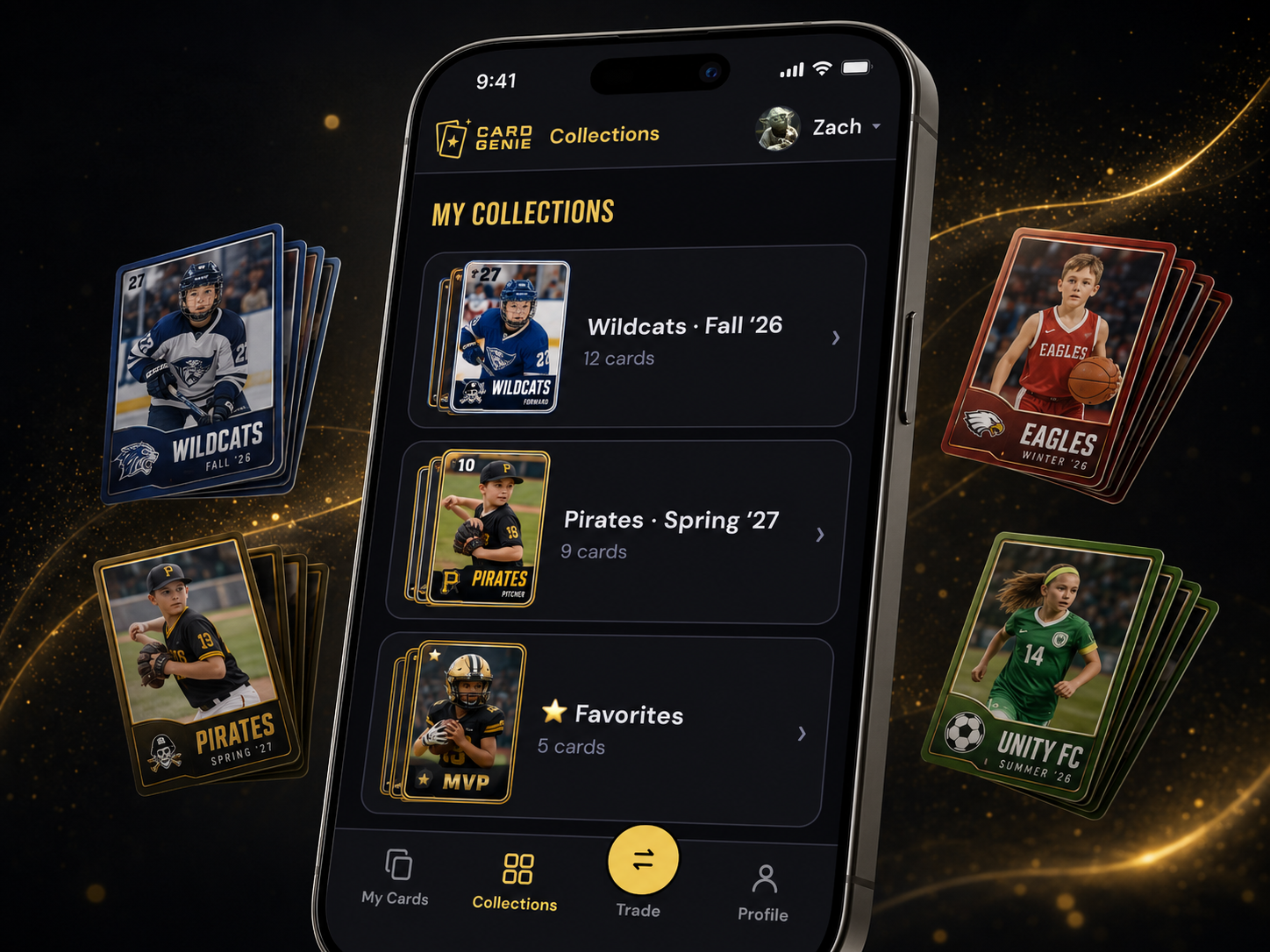
The digital twin lands instantly in their own collection, in a Team · Season set.
Collect the team
Teammates’ cards fill in as families join — only the ones their parents share.
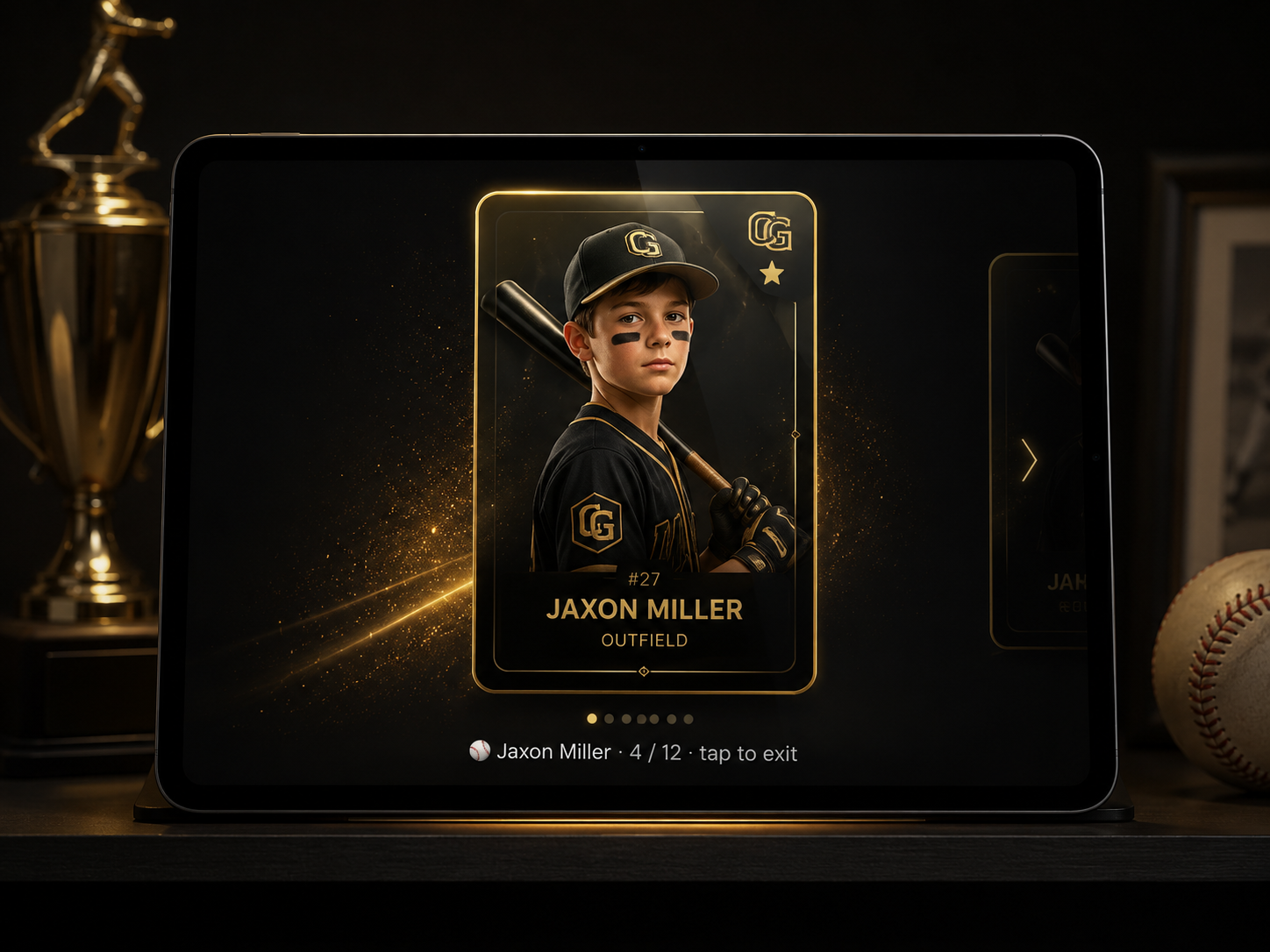
Turn any tablet into a trophy case.
A full-screen slideshow that cycles through their cards with smooth animations. Prop a phone or tablet on the shelf and let it shine — swipe to flip through, tap to exit.
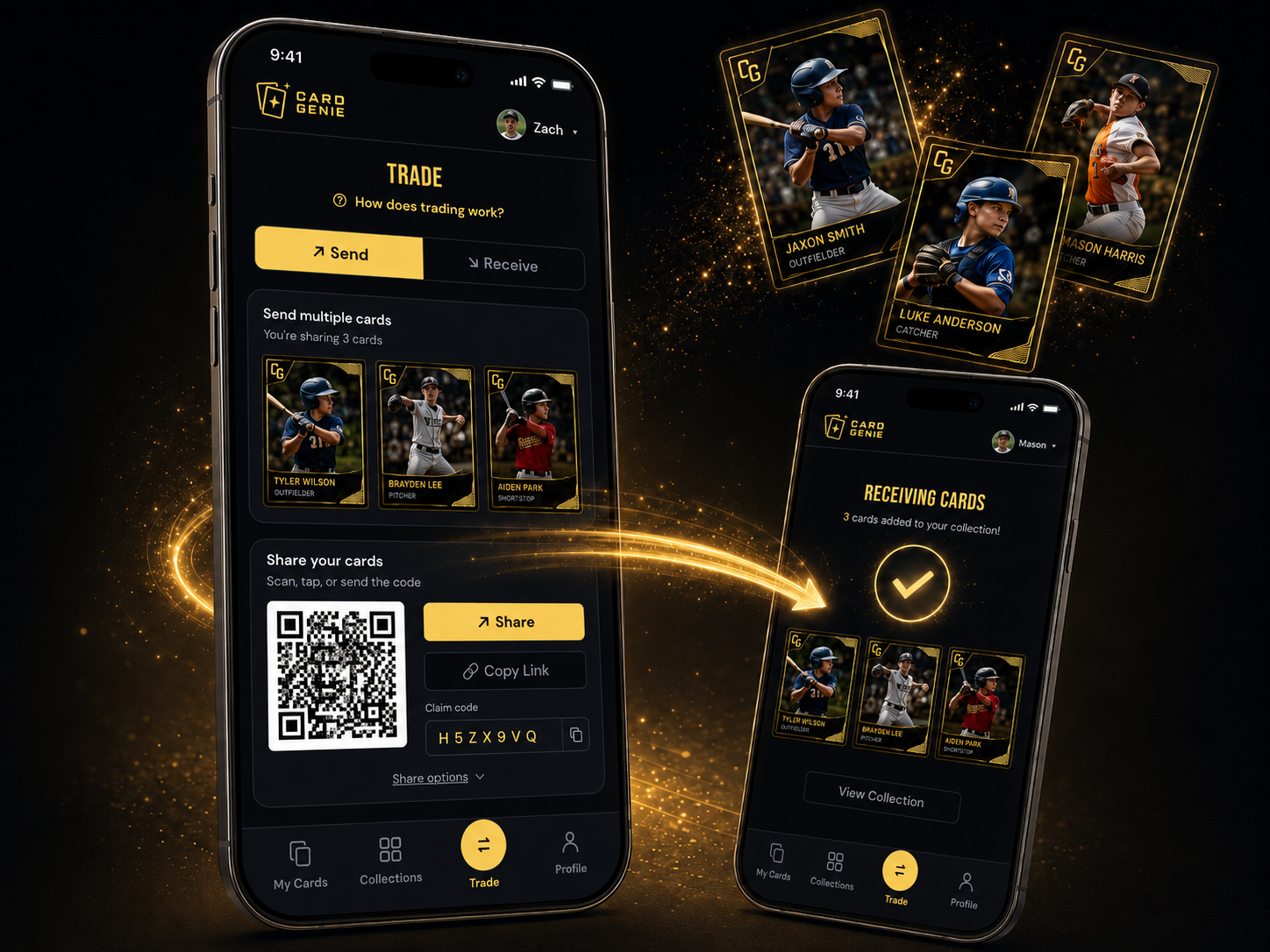
Send a card in one tap.
Share a card by QR code, link, or a short code — at the field, in the car, anywhere. The other kid scans or taps, and it’s in their collection. Send a whole stack at once, too.
Their whole roster, one tap away.
Cards automatically group into a collection for each team and season your kid plays on — Wildcats Fall ’26, Pirates Spring ’27 — so the set they’re building is always right there.
You decide what gets shared.
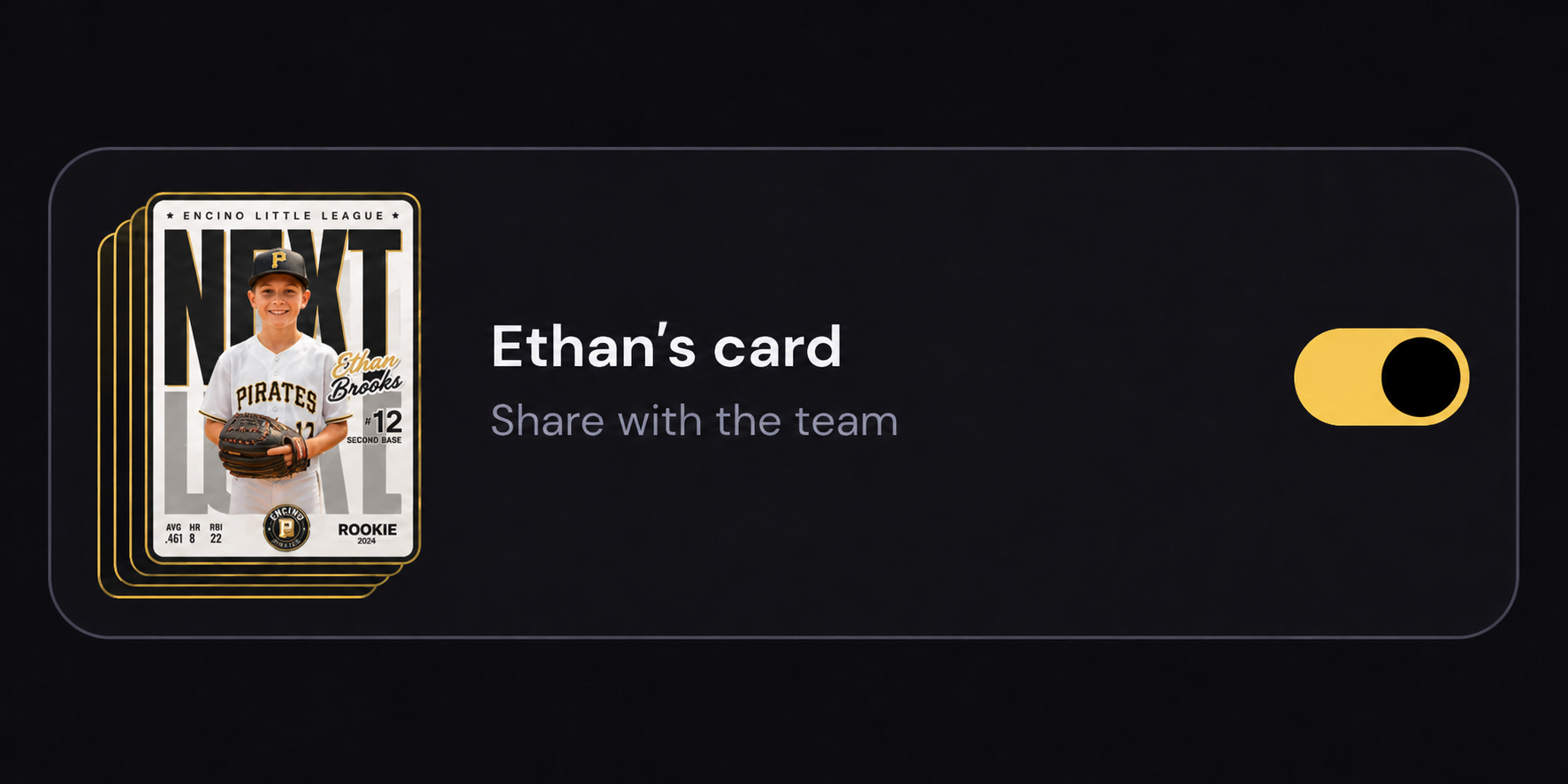
You set the re-shareability of every card. A child’s card is shared with teammates only if you say so — never automatically. Kid mode is PIN-protected, so leaving the app takes a parent.
PIN-protected
Kids stay in their world; the PIN is the way back to your account.
Per-card sharing
A simple on/off switch on each card — share it with the team, or keep it private.
No surprises
Off by default. Nothing about your child is shared without your say-so.
Turn your team into a collectible set — one toggle.

Auto-distribute
Once a card is bought and that player’s parent opts in, it just shows up in every teammate’s collection. The set fills in on its own as families join.
Trade-only
Everyone keeps their own card and trades to collect the rest — the classic hobby, and a fun after-game ritual.
Either way, a child’s card is only ever shared with their own parent’s consent.
Card Genie Collections, right on the home screen.
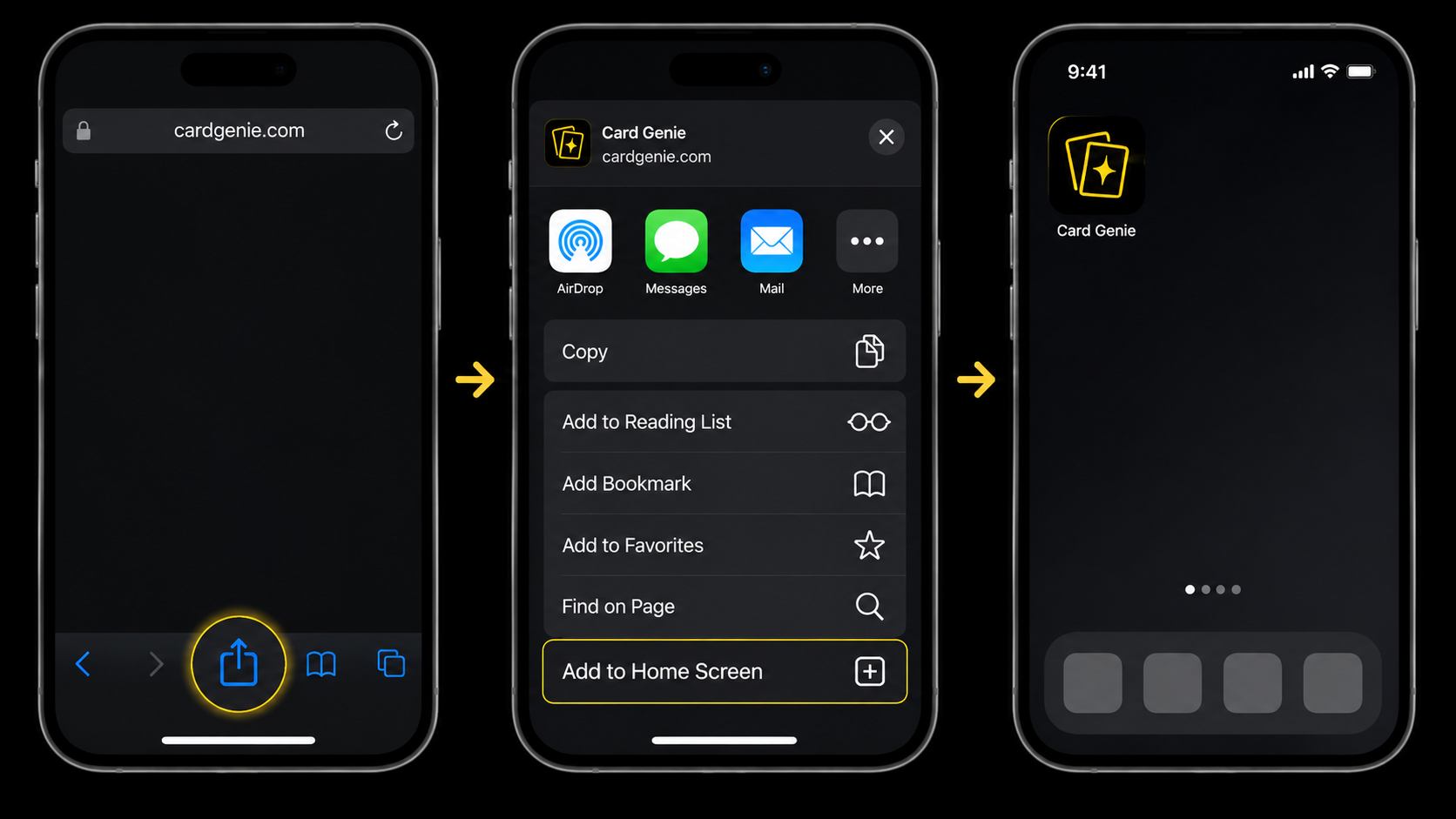
- 1. Open the collection in Safari or Chrome.
- 2. Tap Share → Add to Home Screen.
- 3. Tap the icon any time — it opens straight to the picker.
Questions, answered
Does the digital version cost extra?+
No. Every printed card or pack comes with a free digital twin in the Collections app — it shows up automatically.
Is it safe for kids?+
Yes. Kid mode is PIN-protected, and you control what gets shared. A child’s card is never shared with other families unless that child’s own parent opts in.
Can I control what’s shared with the team?+
You set the re-shareability of each card with a simple on/off switch. It’s off by default — a card spreads to teammates only when you turn it on.
What if my kid’s teammates haven’t joined yet?+
Their cards fill in over time. As each family joins, their shared cards drop into everyone’s collection — so the team set grows.
Do I need to download an app?+
No app store required. Add Card Genie Collections to your phone’s home screen right from the browser and it behaves like a native app.
Start your kid’s collection.
Order a card and the digital twin is waiting in the Collections app — ready to view, trade, and grow into the whole team.